
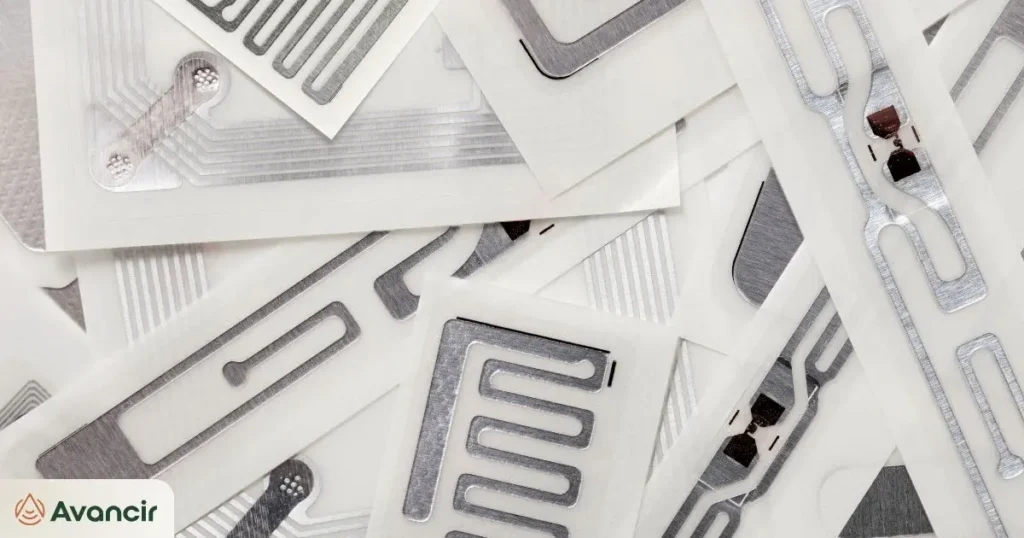
A GS1-compliant RFID smart label typically involves two separate processes: printing visible information and barcodes on the label, and electronically encoding data into the RFID chip.
Those two datasets should correspond correctly, but configuring one does not automatically configure the other. A barcode printer may print a GTIN, serial number, or GS1 barcode on the face of the label while the RFID encoder writes an EPC into the tag’s memory.
Understanding that distinction is one of the most important parts of working with GS1 RFID standards and producing GS1-compliant labels correctly.
What Makes an RFID Label GS1-Compliant?
GS1 provides standardized identification structures and rules for how data is represented in different carriers, including barcodes and RFID tags.
For trade items, the identification process often begins with a Global Trade Item Number, or GTIN. The printed barcode must follow the requirements for the symbology and application being used, while RFID data must follow the appropriate GS1 EPC Tag Data Standard.
There isn’t one universal GS1 RFID label format.
A product-level RFID label, logistics label, and retailer-mandated RFID tag may each have different requirements. GS1-128, for example, is particularly relevant to logistics and shipping applications because it can carry GS1 identifiers along with information such as serial numbers, dates, and other attributes.
Barcode Printing vs. RFID Encoding: What’s the Difference?
Printing and encoding can happen during the same production step, but they perform different jobs.
| Component | What Is Produced | How It Is Read |
|---|---|---|
| Human-readable text | GTIN, SKU, serial number, description, or other information | Person |
| GS1 barcode | Machine-readable representation of selected GS1 data | Barcode scanner |
| RFID chip | EPC or other encoded RFID data | RFID reader |
Printing creates the visible text and barcode symbols on the label’s face stock. RFID encoding writes digital information into the tag’s memory.
An RFID printer/encoder can perform both tasks as each label moves through the printer, but the printer still receives separate instructions for the printed fields and the RFID encoding.
Printed text is not automatically written into the RFID chip.
The label software or connected system must be configured to generate the correct printed information and the correct RFID data.
What Data Gets Encoded on the RFID Tag?
For serialized trade items, the relationship between the identifiers can be simplified like this:
GTIN → SGTIN → EPC encoding
A GTIN identifies the product or trade-item type. When that product identity is combined with a unique serial number, it becomes a Serialized Global Trade Item Number, or SGTIN.
The selected EPC encoding scheme then defines how that serialized identity is represented electronically in RFID tag memory.
This is why RFID tag encoding involves more than simply copying a printed GTIN into the chip. The software must construct the correct serialized identifier and encode it using an appropriate GS1 RFID tag encoding standard.
What Is SGTIN-96?
SGTIN-96 is a 96-bit EPC encoding format commonly associated with serialized trade items.
Its binary structure includes information such as the GS1 Company Prefix, item reference, serial number, and RFID-specific control information.
One important limitation is the serial-number field. With SGTIN-96, the serial value must be numeric, cannot use leading zeros except when the value itself is zero, and must fit within the available field size.
That makes the choice of EPC format an important configuration decision rather than a default that should be applied to every RFID program.
The RFID Label Printing and Encoding Workflow
A typical workflow looks like this:
Product + Serial Data → Label Software → RFID Printer/Encoder → Printed + Encoded RFID Label → Verification
The source system first provides the product and serialization data. Label software uses that information to configure the visible layout, barcode, and EPC encoding separately.
The RFID printer/encoder then prints the label and writes the electronic data to the chip.
Before the label enters production or distribution, both data carriers should be checked to confirm that the printed information and encoded EPC represent the intended item.
5 GS1 Encoding Mistakes to Check Before Printing
1. Incorrect GS1 Company Prefix
The company prefix used to construct the EPC must match the organization’s assigned GS1 identification structure. An incorrect prefix can result in an invalid or incorrectly attributed identifier.
2. Incorrect Partition
The partition determines how available EPC bits are divided between the company-prefix and item-reference fields. Using the wrong partition can cause the encoded values to be interpreted incorrectly.
3. Duplicate Serial Numbers
Serialization is intended to distinguish individual items. Reusing a serial number can create duplicate EPCs, making two physical products appear to have the same identity within an RFID system.
4. Incorrect EPC Format
The encoding scheme must support the data being assigned to it. For example, SGTIN-96’s serial field does not support arbitrary alphanumeric serial numbers.
5. Printed and Encoded Data Do Not Match
A label can print successfully and still contain the wrong RFID data. The printed GTIN, visible serial information, barcode identity, and EPC should all represent the correct product and serialized item.
Verify the Barcode and RFID Data
Barcode and RFID verification should be treated as separate checks.
For the barcode, verify the correct symbology, required data elements, quiet zones, print quality, and dimensions appropriate for the application. There is no single GS1 barcode label size that applies to every label because size requirements depend on the barcode type, use case, substrate, and applicable specification.
For RFID, confirm that the tag encoded successfully, contains the intended EPC, uses the correct serial number, and can be read back accurately. Reading the finished label back is also where how the label is physically applied starts to matter, because placement and orientation affect whether a correctly encoded tag can actually be read.
For detailed GS1 barcode requirements, including GS1-128 construction and verification rules, the current GS1 General Specifications should remain the authoritative reference.
GS1 Compliance Does Not Automatically Mean Retailer Compliance
Following GS1 standards does not guarantee that a label will meet every retailer or trading partner requirement.
A retailer may also specify approved RFID inlays, label dimensions, tag placement, EPC formatting conventions, serialization rules, minimum read-performance thresholds, or testing and certification procedures.
That means a compliant production process needs to account for both standards.
Before starting a production run, confirm the GS1 identifier and encoding scheme, label format, and current retailer or trading-partner specification. Then test both the printed barcode and encoded RFID tag before labels move into full production. Connecting that serialized data to the systems that use it is where an item verification workflow picks up.
FAQ
Is barcode data automatically encoded into an RFID chip?
No. Printing and RFID encoding are separate processes. The label software or connected system must provide instructions for both the printed barcode and the data written into RFID memory.
Does every GS1 RFID label use SGTIN-96?
No. SGTIN-96 is an important EPC format for serialized trade items, but GS1 supports multiple EPC encoding schemes. The appropriate format depends on the identifier, data requirements, and application.
Is there one standard GS1 RFID label size?
No. Label dimensions depend on the barcode, RFID inlay, product or packaging application, substrate, and any retailer or trading-partner requirements.
Does GS1 compliance guarantee retailer RFID compliance?
No. Retailers can impose additional requirements for approved inlays, tag placement, label dimensions, serialization, performance, testing, and other program-specific criteria.